Learning path
Clients & projects
Last updated: November 2026
In Døgn, time is always tracked on a project, and a project always belongs to a client. The client sets the hourly rate, currency and colour. You set that up once and rarely touch it again.
The first start
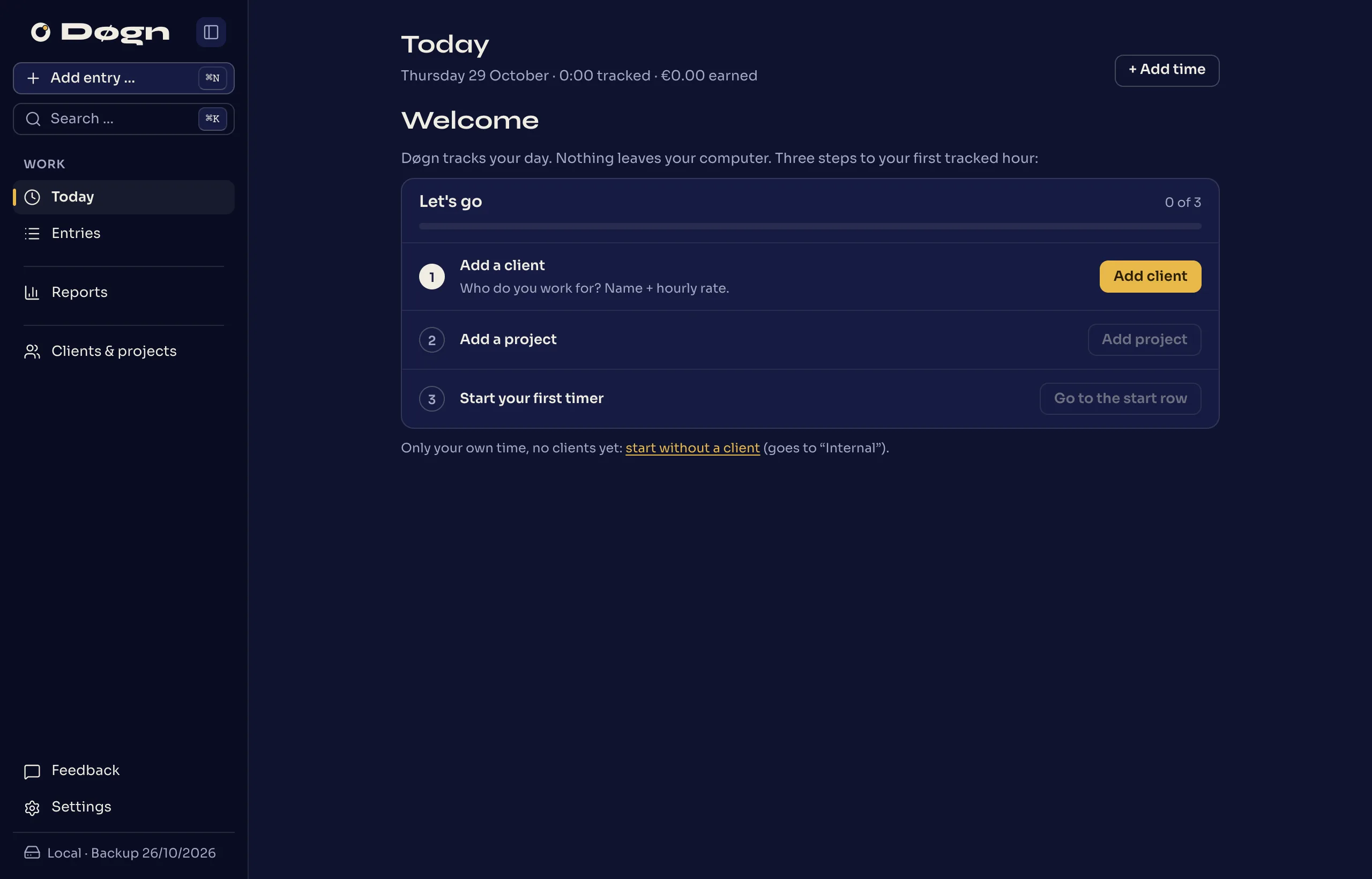
On first start the panel asks “Who are you working for?”. You enter a client, then a project, and “Create project & start” starts your first timer right away. If Døgn already knows clients from folo or tjent, you just pick one. At the end Døgn asks what it should remind you of. You can change that later under Settings › Tracking.
In the main window, “Today” shows the same three steps: “Add a client”, “Add a project”, “Start your first timer”. A name and an hourly rate are enough for the client. If you only want to track your own time, use “start without a client”. The time then goes to “Internal”.
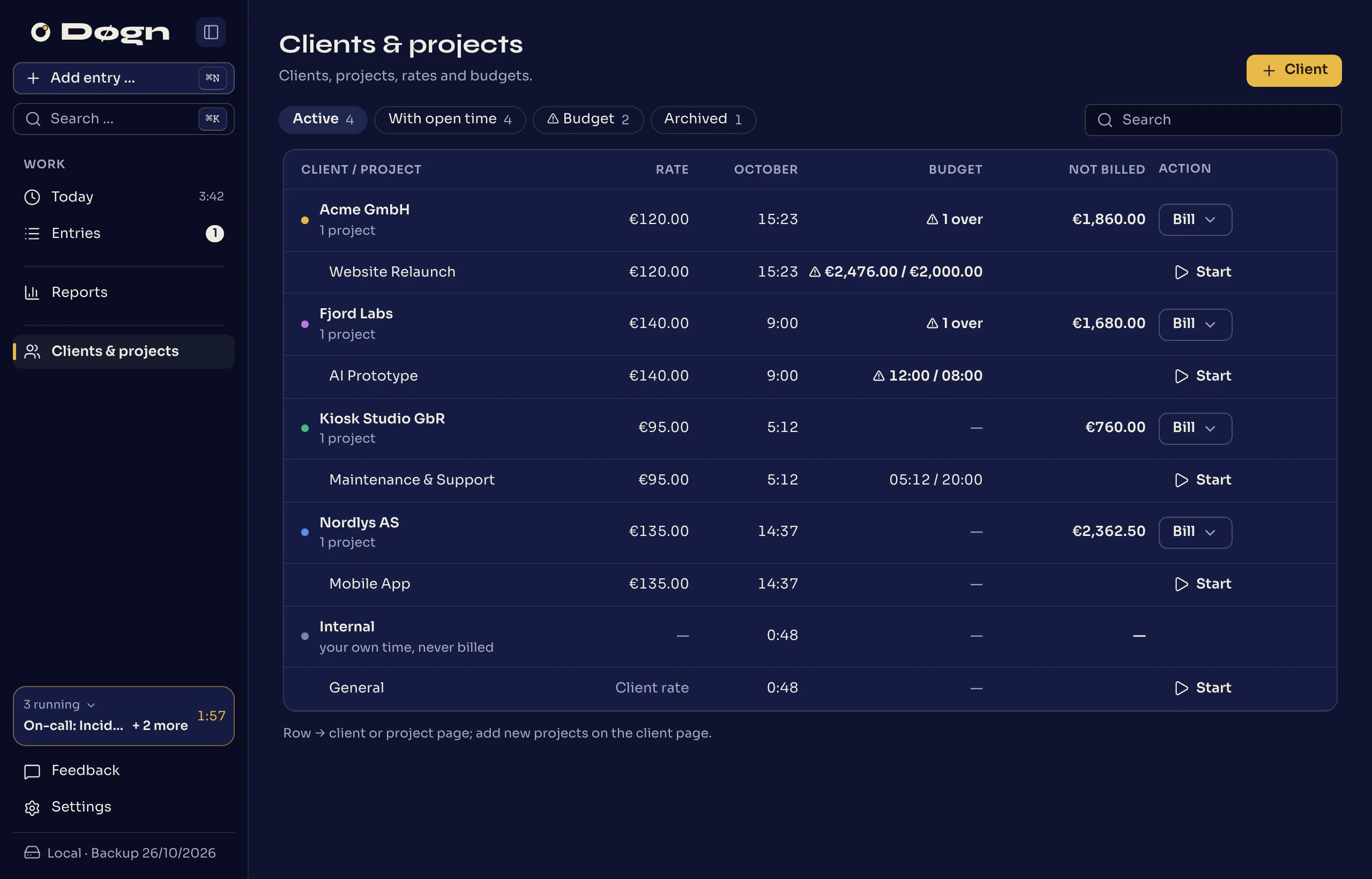
The clients & projects page
For each client and project, the list shows the rate, the time this month, the budget and what hasn’t been billed yet. The filters at the top switch between “Active”, “With open time”, “⚠ Budget” and “Archived”.
A click on a row opens that client or project page. “Start” runs the timer for exactly that project, “Bill” offers you the client’s timesheet.
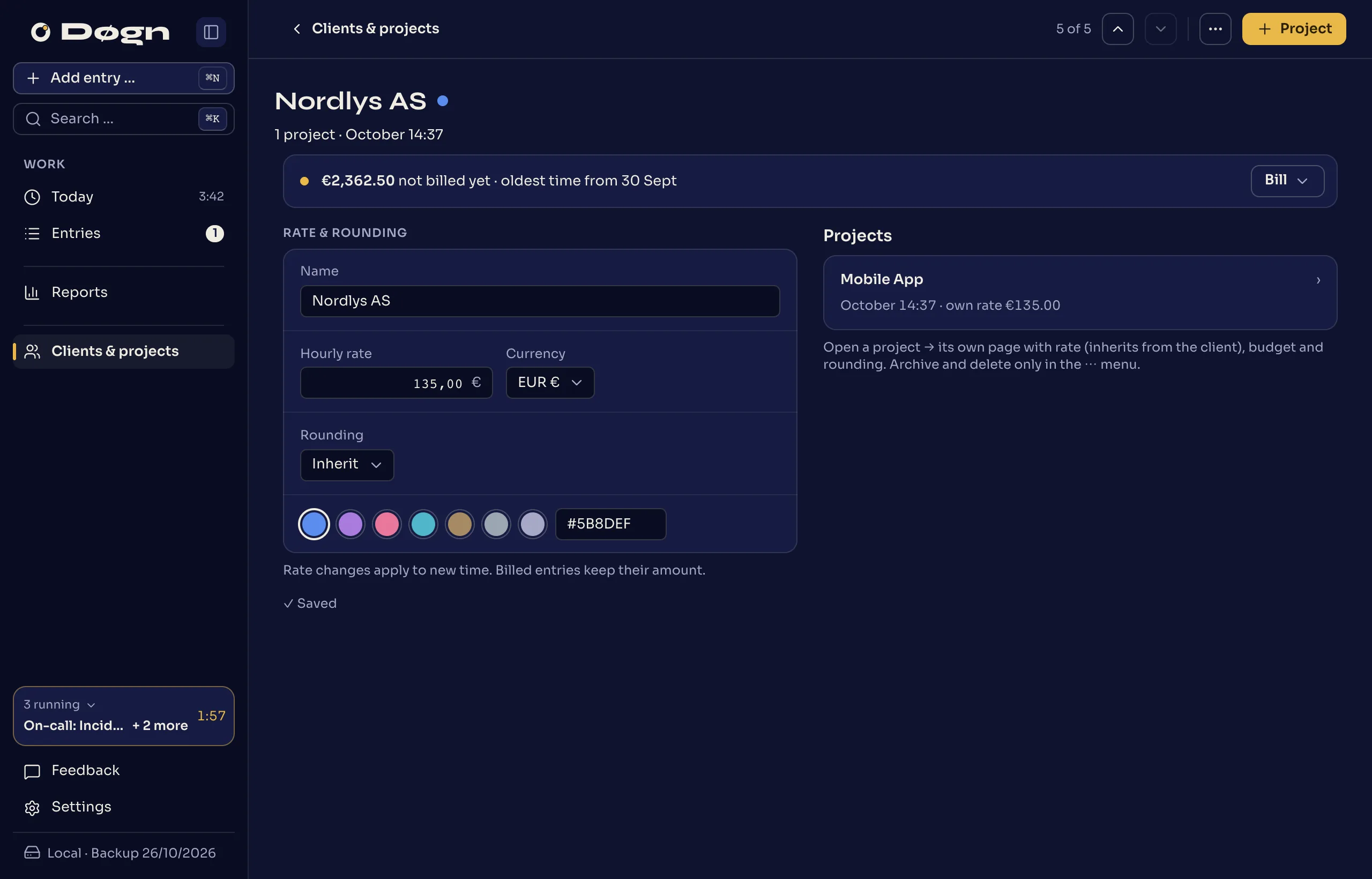
Add a client
“Client” at the top right adds a new client. You then land on its page and set:
- “Name”. That’s what it’s called everywhere in Døgn.
- “Hourly rate” and “Currency”. Døgn works out the amount from these. Totals are never mixed across currencies.
- “Rounding”. See below.
- Colour. That’s how you spot the client in your day timeline.
Døgn saves every change on its own. A new rate applies to new time. Billed entries keep their amount.
Projects, rates and budgets
You add new projects on the client page with “Project”. On the project page you set:
- Rate. Leave it empty and the client’s rate applies.
- “Billable”. New time on this project goes on the next invoice.
- “Budget”. “Per month” or “Whole project”, as an amount or in hours. From 85 % Reports › Budgets says “Running low”, above 100 % “Over budget”, and the client list marks the project with ⚠.
- “Track automatically”. Links folders and repos so AI sessions are tracked on this project. More under MCP & AI sessions. Juggling many clients at once? See time tracking for consultants and agencies.
Rounding
You pick an increment and a mode: “Round up”, “Round down” or “Round to nearest”. “Inherit” makes a project take the client’s setting, and the client the default from Settings › Tracking. “None” doesn’t round at all.
The raw time never changes. Only the billed view is rounded.
Internal
“Internal” is Døgn’s own area for time that never ends up on an invoice: sales, bookkeeping, training. It has no hourly rate and never shows up as a client in folo or tjent. You can’t rename or delete it, but you can add your own projects to it.
Archive and delete
Done with a client? Archive it from the ⋯ menu. Its active projects go with it, the times stay in reports and entries, and you can bring it back any time. If a client or project has no times at all, Døgn removes it straight away.
Deleting is final. It’s only in the ⋯ menu, and Døgn shows you first what will go. Billed entries always stay. If a project has such entries, Døgn deletes only the others and keeps the project archived and locked.